

What is a workflow?
The term workflow means a business or work process.
Recurring processing steps within an organization can be formalized with the help of a workflow. The workflow is based on linked (sequentially and/or simultaneously occurring) steps that are assigned to certain users. If a workflow is set up, it ensures that employees complete certain tasks within fixed deadlines.
Accordingly, a document workflow is a process that concerns documents. There are different variants here: Some workflows serve a very specific process, whereas others cover a broader area. An example of a typical document workflow is invoice processing: The document is received, the invoice is captured with the corresponding tool, the data is extracted and validated, approval is requested, and finally, payment is made (according to several possible alternatives: immediately, later, when due, in installments, etc.).
Modeling
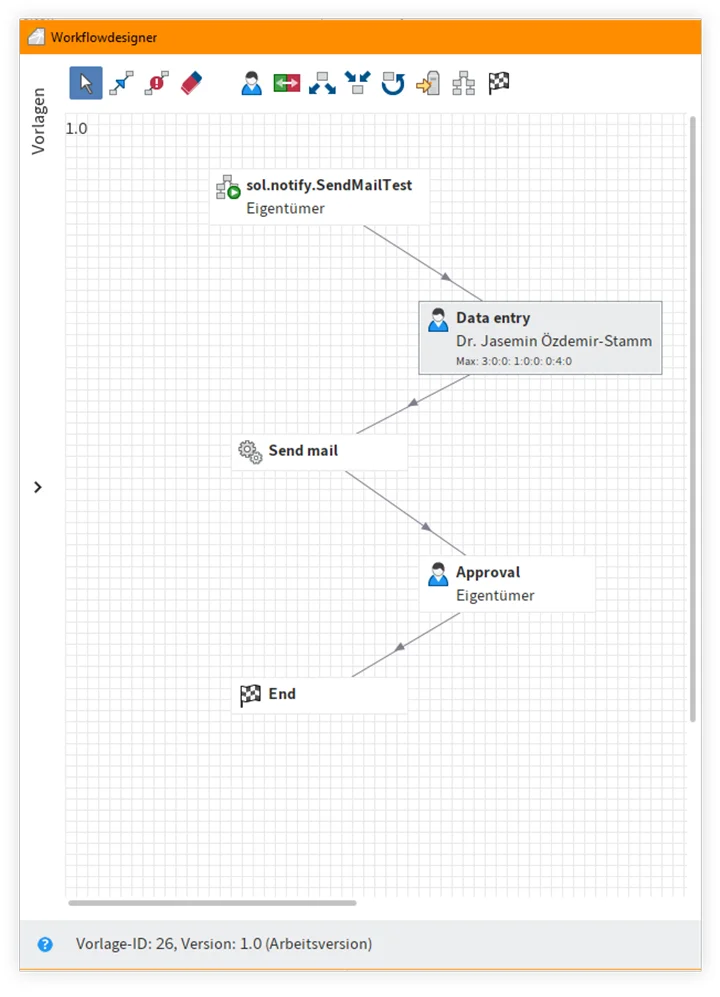
Workflow tools allow you to graphically model your business processes so that they are easy to read and understand. This enables an organization to switch from physical and/or informal processes (with manual document or folder distribution) to paperless processes, thereby making its operations digital. Modeling tools and the necessary formalizations made in advance ensure that the sequence of processing phases is clearer and deliver a visual display of the work process.
Ad hoc workflows
Modeling in advance is not required for all workflows. For example, a metadata form is sufficient for triggering simple workflows (validation or notification). These workflows are created dynamically on the basis of certain parameters entered by the user and make daily work considerably easier.
Document workflow automation — a trending topic
In today’s business world, where the success of an organization depends on operational efficiency and faster information processing, automating document workflows is not just optional — it’s essential.
With continuously growing data volumes, automating common processes makes work more efficient, excludes human error, and ensures better traceability. Automation also provides an excellent opportunity to ensure compliance with legal regulations for certain types of documents. Users can save a significant amount of time, while the notification systems also make collaboration easier. A workflow management tool or module is the ideal addition to a DMS: It adds a level of efficiency to scanning and storage functions that benefits the entire company.
Sample applications
Vacation request management, expense reimbursement, and appointing a new employee are all examples of processes that can be modeled with the help of workflow tools. It is also possible to implement a more complex workflow for purchase requests. In each case mentioned, documents are created, tasks approved, information forwarded, and third party systems updated with precise monitoring.
The workflow is part of a more extensive concept called BPM (Business Process Management), that offers a full overview of a company’s business processes. These tools must include a high degree of transparency and traceability. This results in improved performance, productivity, and quality of service.
Take a look at our webinar to find out more about setting up workflows with ELO.
Discover how ELO ECM Suite can meet your business needs.